luzmo2.0
Publisher Description
LIMITED TIME OFFER LUZMO - 50% OFF!
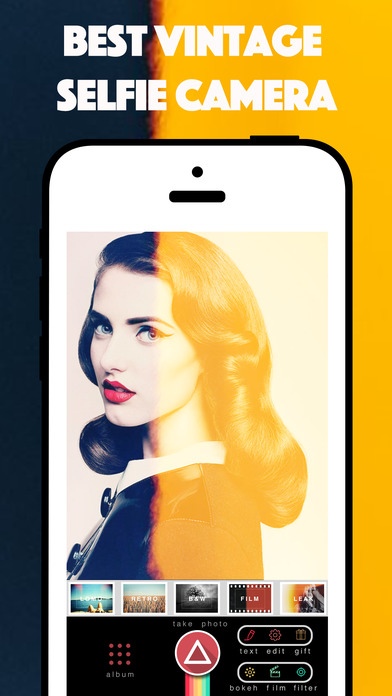
LUZMO is the Real film light effect it's realistic Design Enjoy amazing Instant light bokeh effect , analog film and real vintage Photo filter with cool enhance tool and amazing light leak effect
LUZMO FEATURES
Take Light picture with a real-time Light effect
Apply effects to existing Light photo
adjust real-time filter Light filter
Switch between Front Camera and Rear Camera
Switch Flashlight to ON/OFF/Auto/Torch mode
Edit the photo again after shooting
Tap to focus and adjust exposure
Save your work to camera roll in high resolution
LUZMO Effect
Circle Bokeh Effect
Star Bokeh Effect
Music Bokeh Effect
Circle Bokeh EffectTriangle
Heart Bokeh Effect
Lomo Effect
Retro sepia Effect
B & W Effect
Analog Film Effect
Light Leak Effect
LUZMO Filter
Breezy Filter
Warm Filter
Cold Filter
Lucid Filter
Dark Filter
LUZMO Sticker
Summer Sticker
Hipster Sticker
Love Sticker
Vintage Label Sticker
Inspire Sticker
Quote Sticker
Love Sticker
Party Sticker
Flower Sticker
Animal Sticker
Feather Sticker
Indy Sticker
People Sticker
Dream Sticker
Peace Sticker
LUZMO SHARE
Share your LUZMO Photo via Facebook, Twitter, or email. You can also save your LUZMO Photo picture directly to your iPhone photo library full hd resolution, copy LUZMO Photo Poster to your clipboard, or open in other apps.
LUZMO INTENSITY
Adjust the intensity of each LUZMO in real time.
LUZMO Inspiration
Vintage Camera
Old Camera
Diana Camera
Fisheye Camera
Analog Film Camera
Bw Camera
FINALLY
If you wish to comment or want more features on LUZMO please rate and comment in App Store
Requires iOS 7.1 or later. Compatible with iPhone, iPad, and iPod touch.
About luzmo
The company that develops luzmo is Anon Submoon. The latest version released by its developer is 2.0. This app was rated by 7 users of our site and has an average rating of 4.7.
To install luzmo on your iOS device, just click the green Continue To App button above to start the installation process. The app is listed on our website since 2013-08-03 and was downloaded 29 times. We have already checked if the download link is safe, however for your own protection we recommend that you scan the downloaded app with your antivirus. Your antivirus may detect the luzmo as malware if the download link is broken.
How to install luzmo on your iOS device:
- Click on the Continue To App button on our website. This will redirect you to the App Store.
- Once the luzmo is shown in the iTunes listing of your iOS device, you can start its download and installation. Tap on the GET button to the right of the app to start downloading it.
- If you are not logged-in the iOS appstore app, you'll be prompted for your your Apple ID and/or password.
- After luzmo is downloaded, you'll see an INSTALL button to the right. Tap on it to start the actual installation of the iOS app.
- Once installation is finished you can tap on the OPEN button to start it. Its icon will also be added to your device home screen.
